CC Digital Human Contest 2020
Here is my entry for the Character Creator Digital Human Contest 2020 competition. This was my first time using Character creator and also working on a human, I'm pretty happy with the end result and am excited to use this workflow in the future.
Character Creator link: https://www.reallusion.com/character-creator/
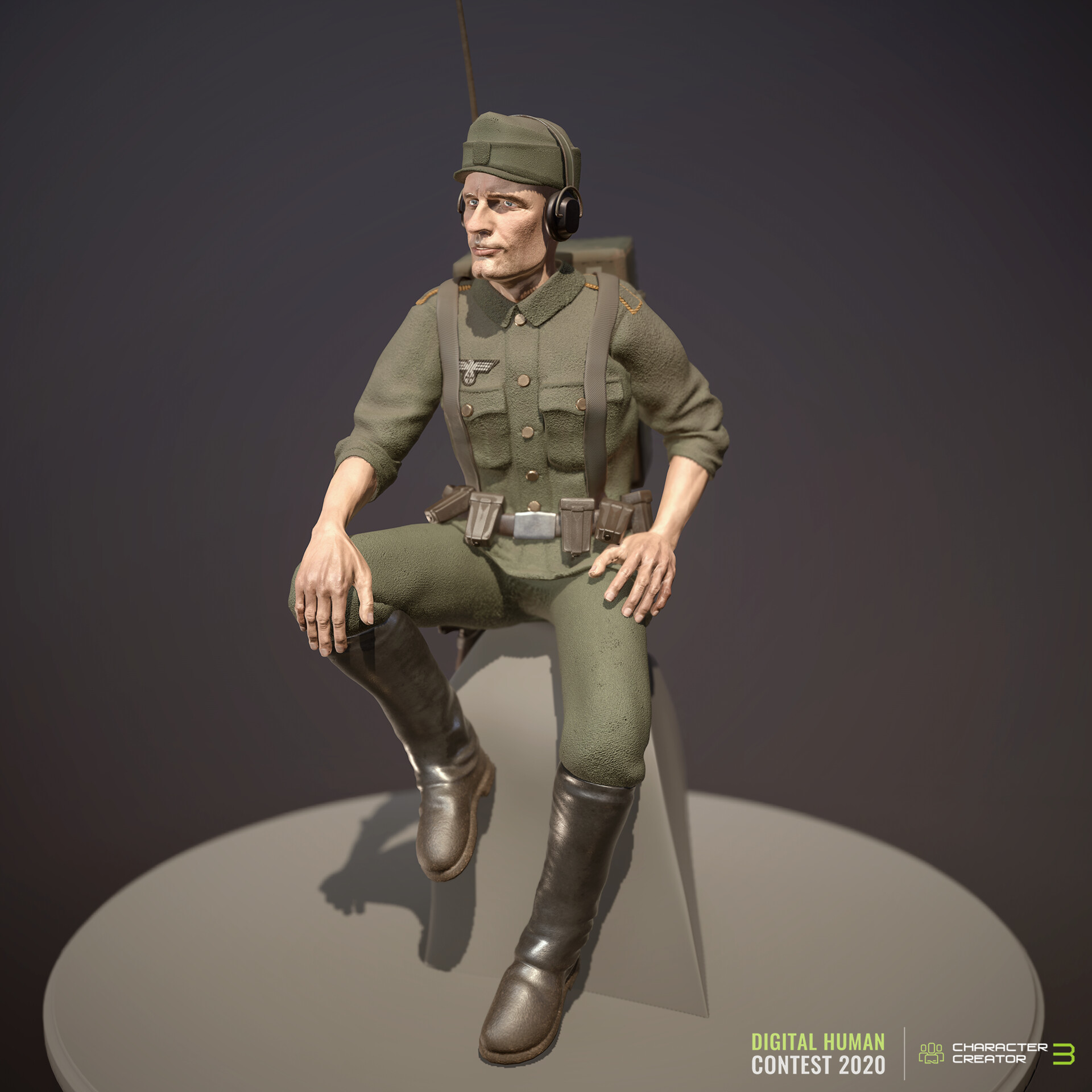
My final Render. This was my first time using Character Creator 3. I wanted to make a stylized soldier character that would have a miniature look to it.

Starting with the male base mesh in Character Creator 3 I tweaked the face and body proportions to get something close to what I was after. I made the hands and head slightly bigger than normal to help with the stylization.

Once I was happy with the base mesh I used GoZ to transfer the geometry over to Zbrush where I sculpted some of the features a bit more and pushed things around a bit with the move brush. Then I subdivided it down to add in my own skin details.

I made all the clothing in Zbursh too, simply by masking an area like the Jacket, and using Extract to create new geometry. I then used the new dynamic cloth brushes to add in the wrinkles and Zmodelling brushes to add the pockets and button holes.

Some of the Equipment like this Shovel and the Ammo belt were made as separate meshes in Zbrush using Zmodelling tools. Then converted to IMM brushes and applied to the character.

I almost ran out of time for the Radio backpack but It was a major feature for this character so I'm glad I got it done. It too was built in Zbrush using Zmodeller and a few of the built-in IMM brushes.

I then used UVMaster in Zbrush to create UVs for each item and piece of clothing. A separate UDIM for each clothing piece/subtool

I didn't get as much time to texture this up as I was hoping, I might go back and add in some labels etc.

This was also the first time making a character with multiple UDIMs, the latest update to Substance Painter makes this really easy and allows for more detail.

I try to create the textures as procedurally as I can so that if the mesh/UVs are updated there is no lost work.

All the clothing elements and equipment is brought back into Character Creator 3, I also applied all the exported maps from Substance Painter using PRB textures.

I used one of the packaged poses as a starting point, and then adjusted it to fix his hands, and also straighten his back. I simply had to change the parent of his Headset to his Head bone to fix that misalignment.

Once his pose was tweaked in CC3, I then used GoZ again to send the posed mesh back to Zbrush for fixing. Smoothing out any pinching of the clothing and moving things around a bit like the straps on this back and Shovel. I also added a simple rock.

Finally, I took the completed model into Marmoset Toolbag 3 and set up some lights, cameras etc. Added a bit of fog and the circular base plate.


